
Private Version
Private Version
Section titled “Private Version”The private version includes a full-featured Admin UI Panel and User Dashboard built as a Telegram Mini App. Below is an overview of all available features.
User Dashboard (Mini App)
Section titled “User Dashboard (Mini App)”Personal account for users with the following features:
- Subscription info - view current plan, expiration date, traffic usage
- Available plans - browse and purchase subscription plans
- Payment history - view all purchases
- Promo codes - apply promo codes for discounts
- Trial activation - activate trial subscription
- Device management - view and delete devices (HWID)
- Autopay settings - enable/disable automatic renewal
- Payment methods - manage saved payment methods
- Plan change - upgrade/downgrade subscription
- Referral system - referral link and bonuses
Screenshots
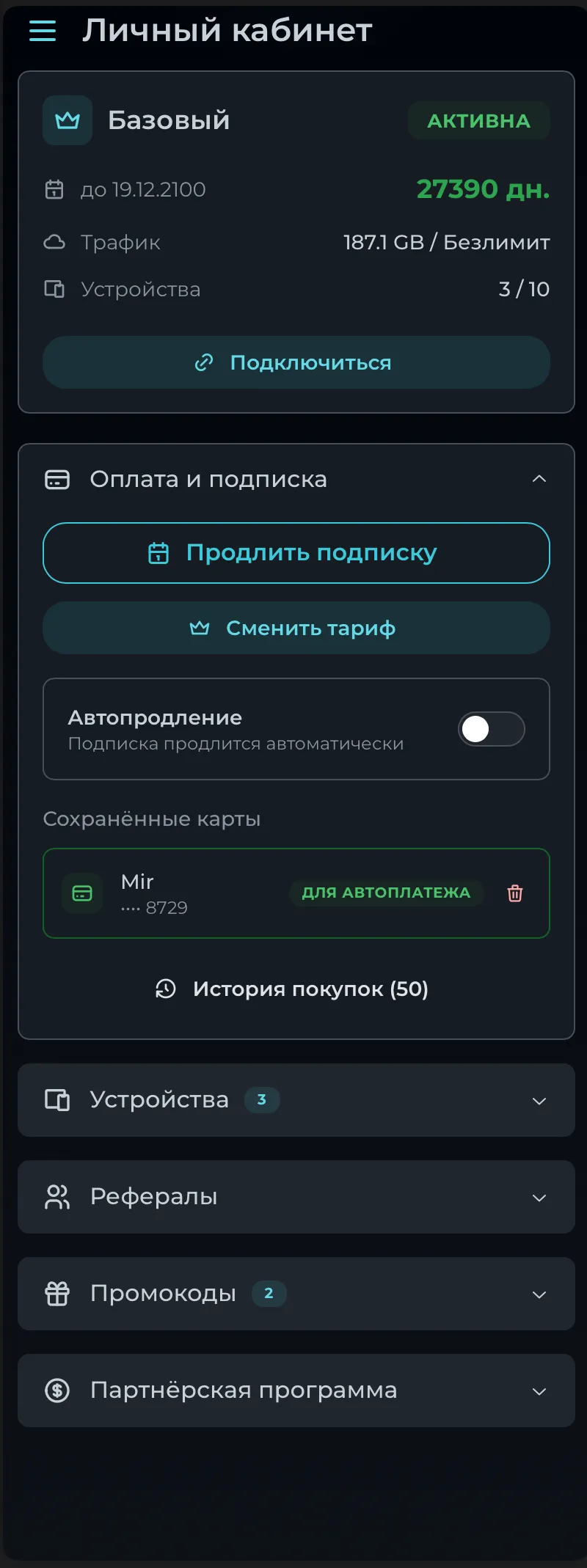
Section titled “Screenshots”Main Dashboard
Section titled “Main Dashboard”Subscription status, traffic usage, devices count, payment options, autopay toggle, and saved cards.
Device Management
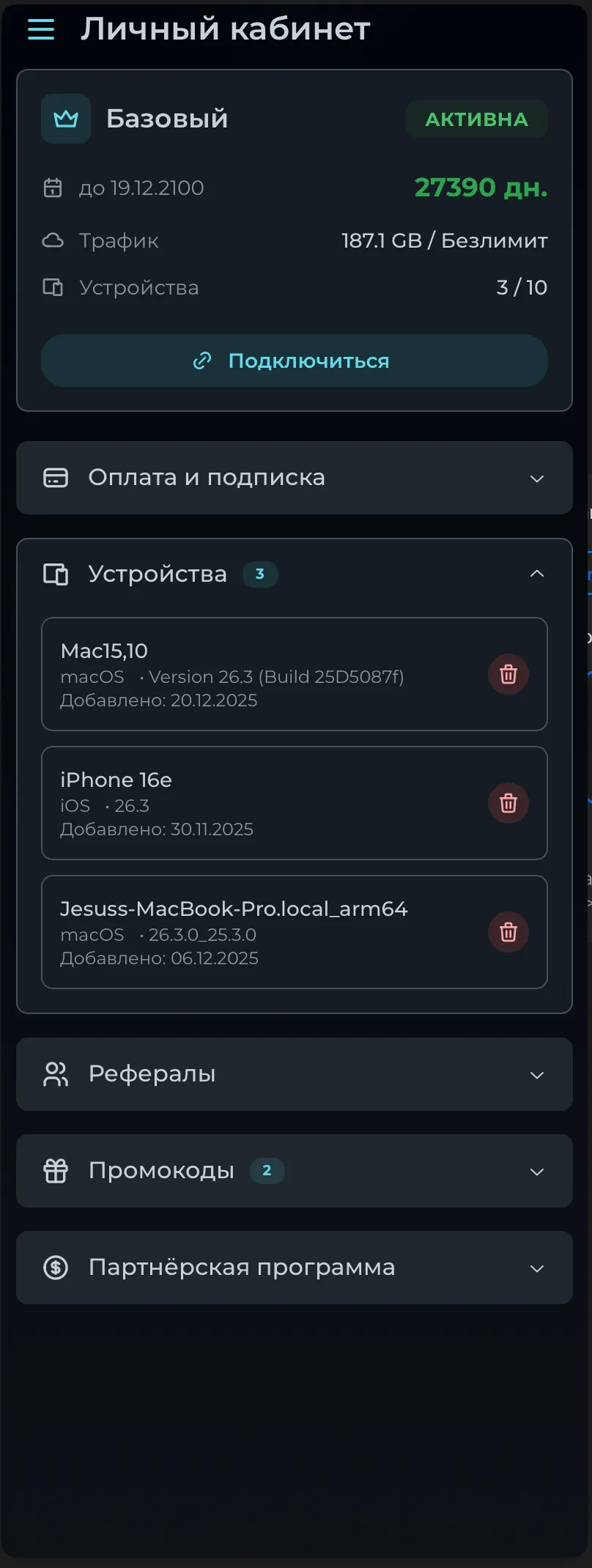
Section titled “Device Management”List of connected devices with OS info, connection date, and delete option.
Referral System
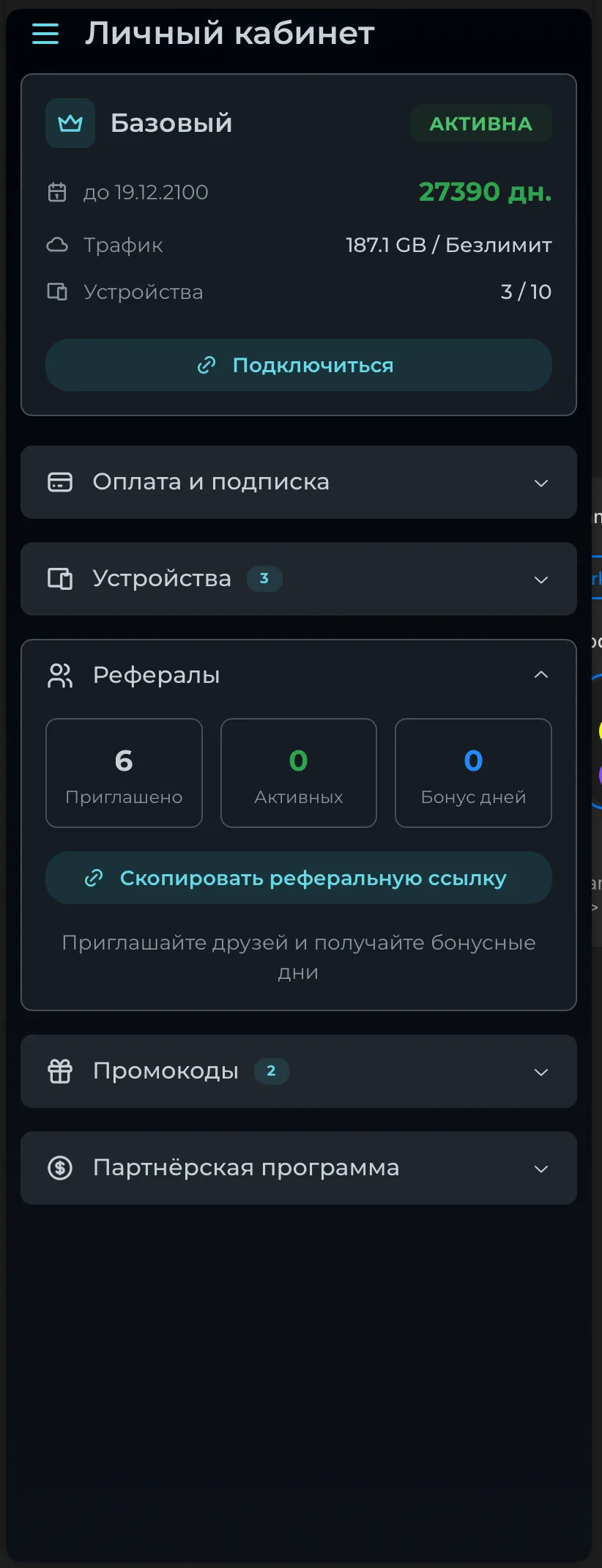
Section titled “Referral System”Referral statistics (invited, active, bonus days) and referral link copy button.
Promo Codes
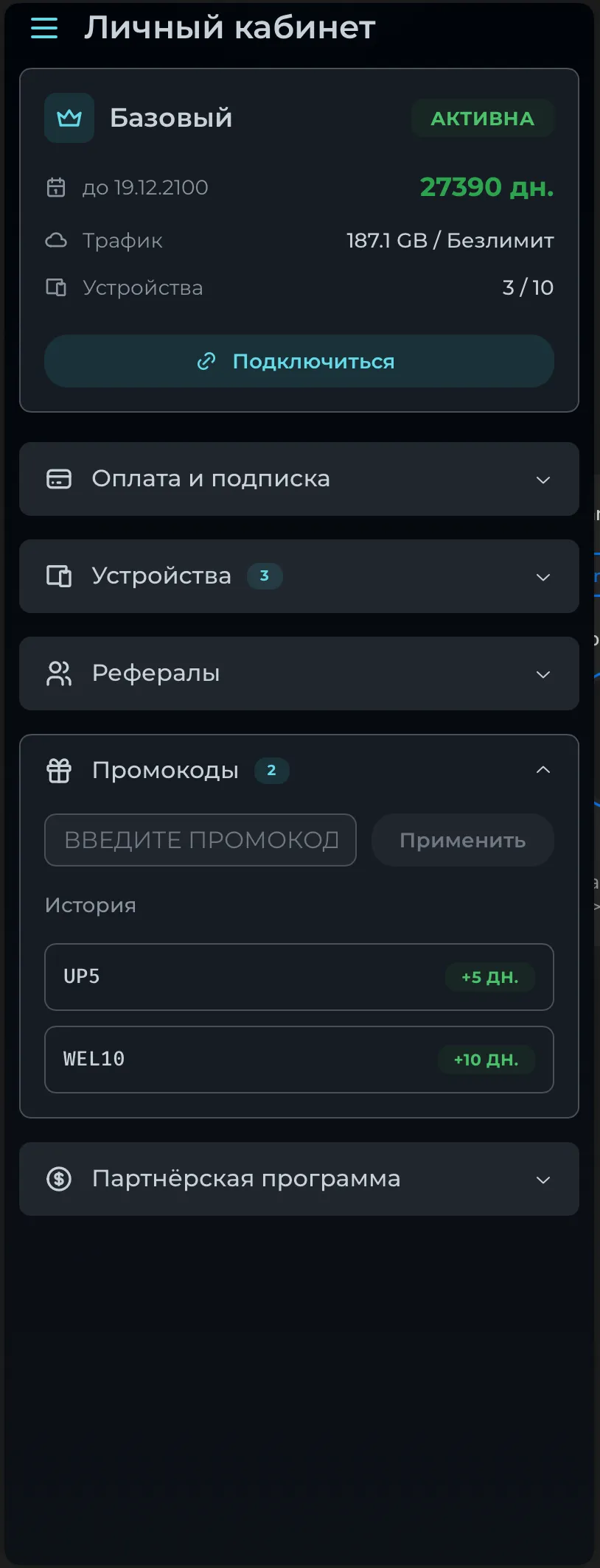
Section titled “Promo Codes”Apply promo codes and view history of applied codes with bonuses.
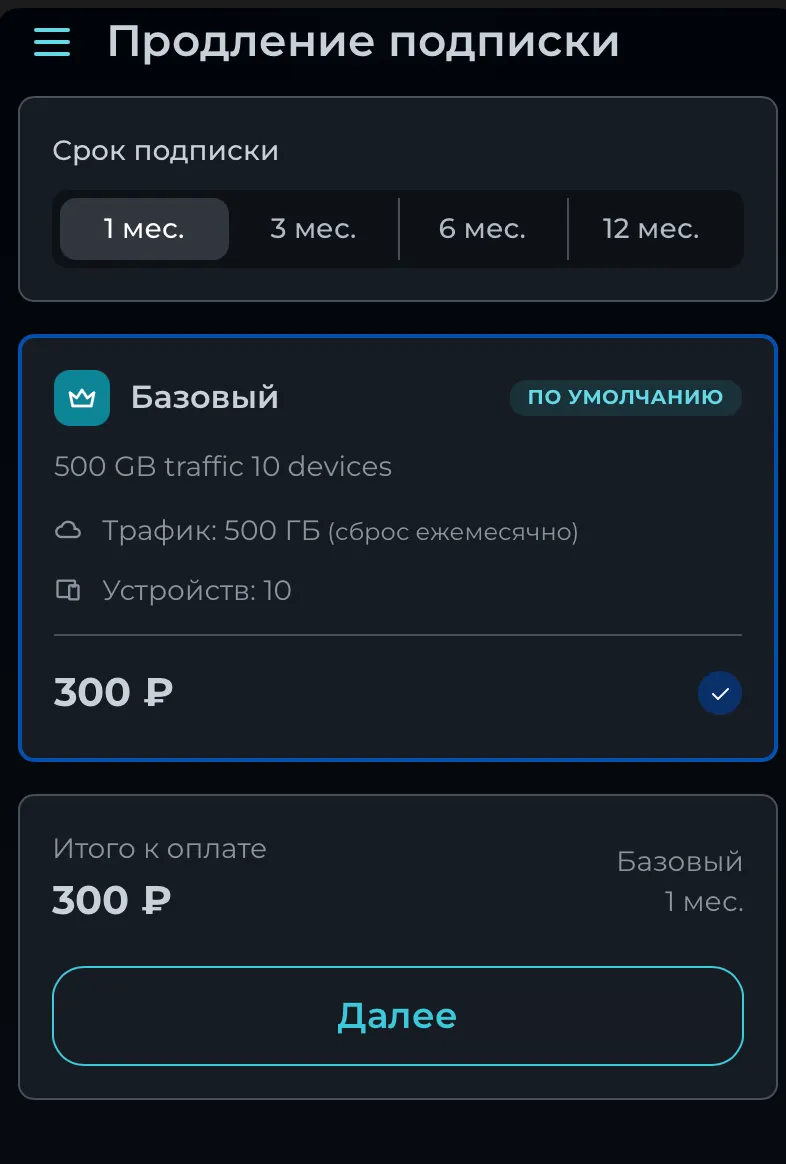
Subscription Renewal
Section titled “Subscription Renewal”Choose subscription period (1/3/6/12 months) and plan details.
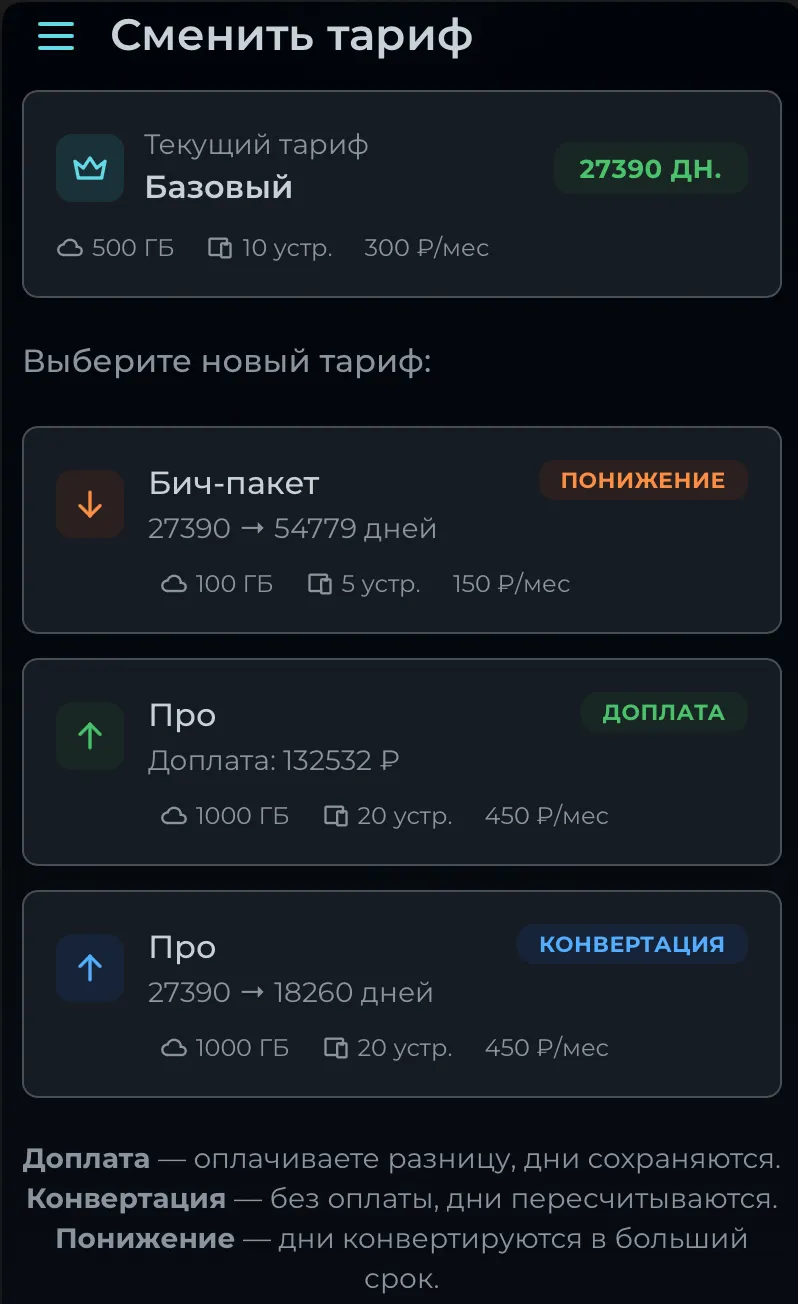
Plan Change
Section titled “Plan Change”Upgrade/downgrade options with three modes: surcharge, conversion, and downgrade.
Dashboard & Statistics
Section titled “Dashboard & Statistics”- Total statistics - users, revenue, subscriptions
- Monthly growth metrics
- Daily user growth charts
- Daily revenue analytics
- Overview dashboard
User Management
Section titled “User Management”View Operations
Section titled “View Operations”- Search users
- View user details and profile
- View payment history
- View user devices (HWID)
- View traffic info
- View Remnawave user info
- View referral bonuses and referrals
- View plan change history
- View user’s promo codes
Edit Operations
Section titled “Edit Operations”- Update user data
- Delete user
- Block/Unblock user
- Whitelist/Unwhitelist user
- Delete user device
- Revoke subscription
- Reset traffic
- Grant subscription
Broadcast System
Section titled “Broadcast System”- View all broadcasts
- Create new broadcast
- Delete broadcast
Screenshots
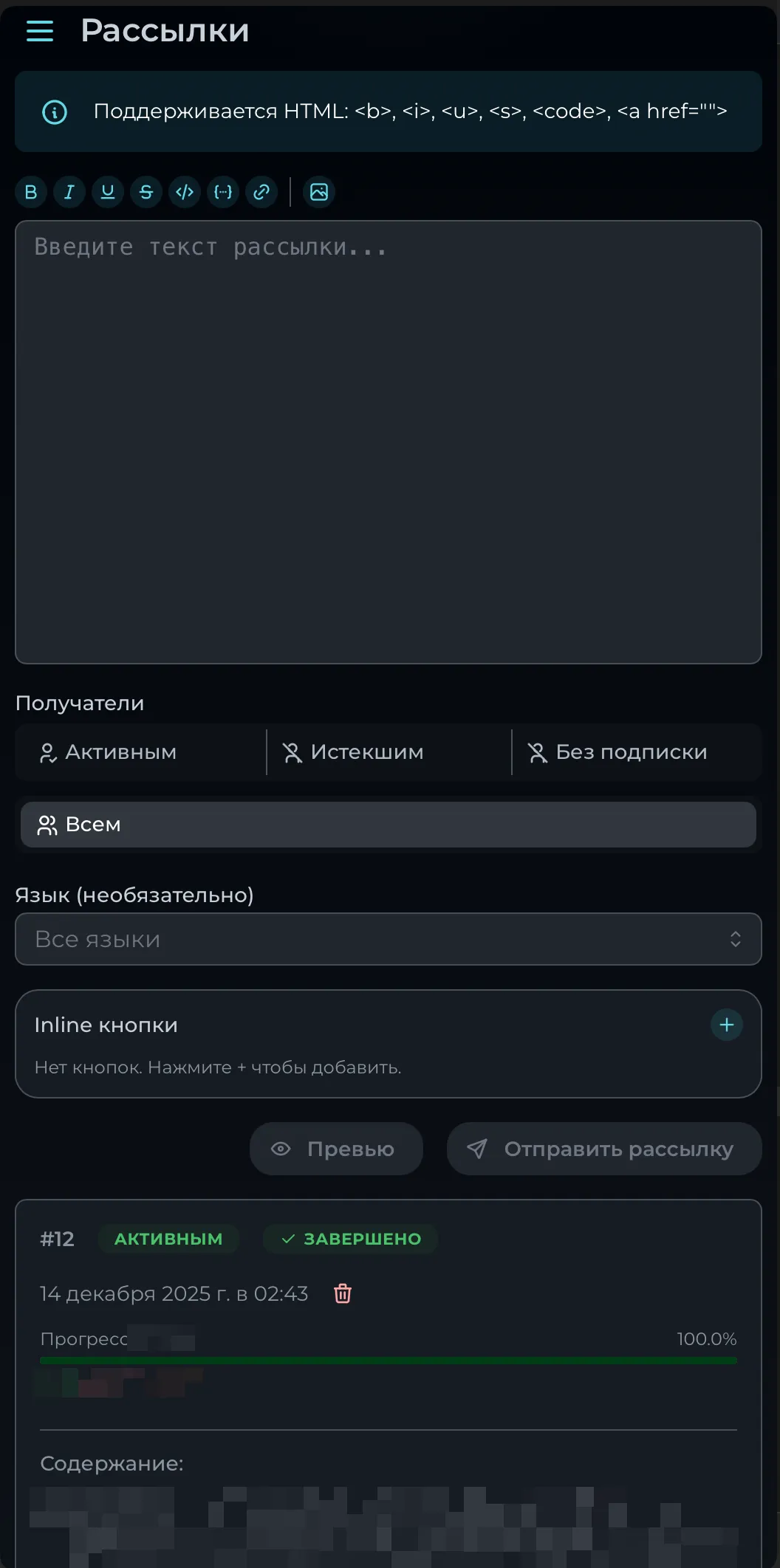
Section titled “Screenshots”Broadcast Editor
Section titled “Broadcast Editor”HTML-formatted message editor with recipient filters (active/expired/no subscription/all), language filter, inline buttons, preview, and broadcast history with progress.
Promo Codes
Section titled “Promo Codes”- View all promo codes
- View promo usage statistics
- Create promo code
- Update promo code
- Delete promo code
Screenshots
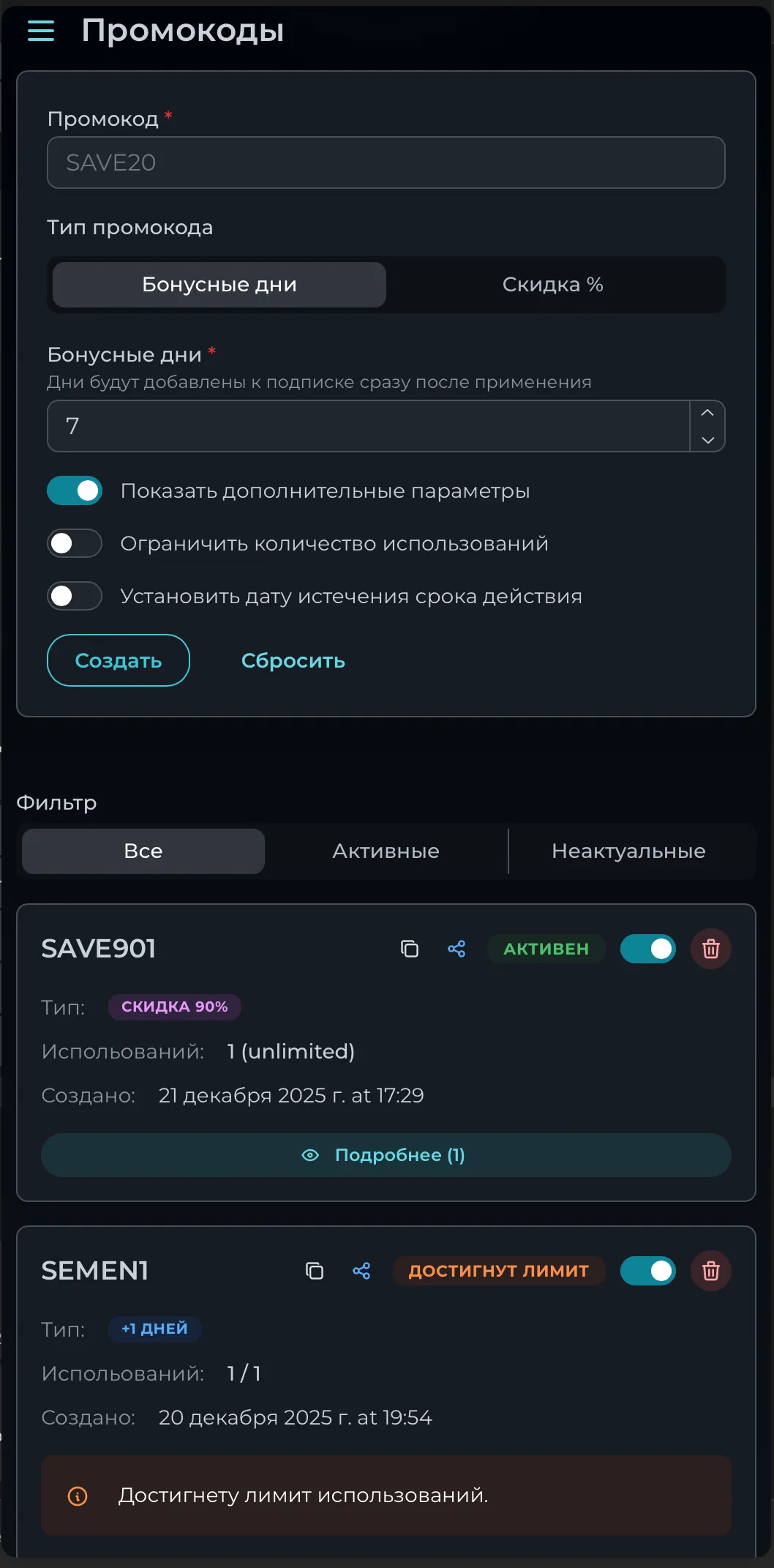
Section titled “Screenshots”Promo Code Manager
Section titled “Promo Code Manager”Create promo codes (bonus days or discount %), filter by status (all/active/inactive), view usage stats, copy/share/toggle/delete codes.
Support System
Section titled “Support System”Admin Features
Section titled “Admin Features”- View all support tickets
- View ticket messages
- Support statistics
- Create ticket (on behalf of user)
- Reply to tickets
- Close/Reopen tickets
Admin Screenshots
Section titled “Admin Screenshots”Ticket List
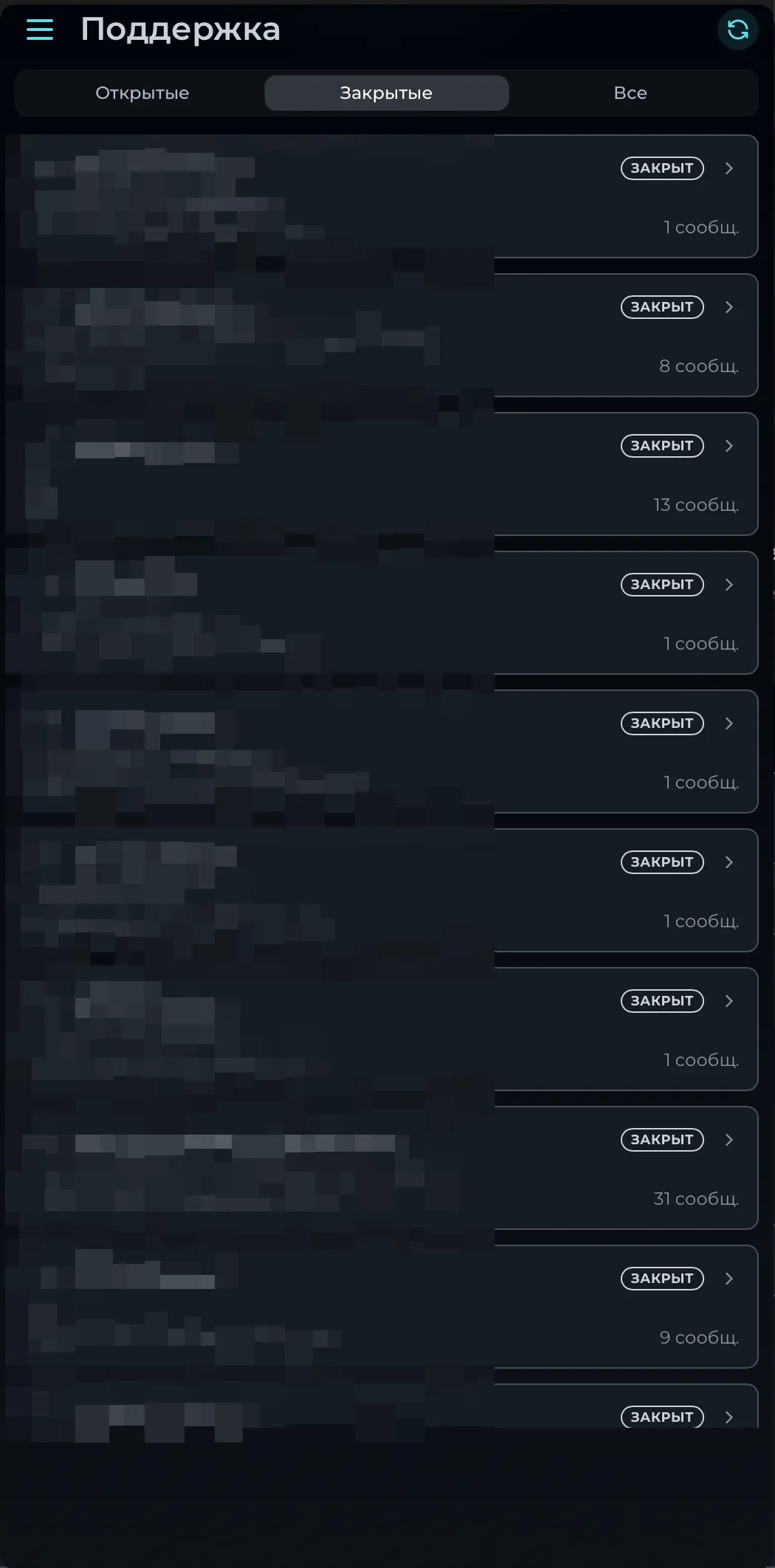
Section titled “Ticket List”Filter tickets by status (open/closed/all), view message count per ticket.
User Features (Mini App)
Section titled “User Features (Mini App)”- View own tickets
- Create new ticket
- Send messages
- Upload attachments (chunked upload)
User Screenshots
Section titled “User Screenshots”New Ticket
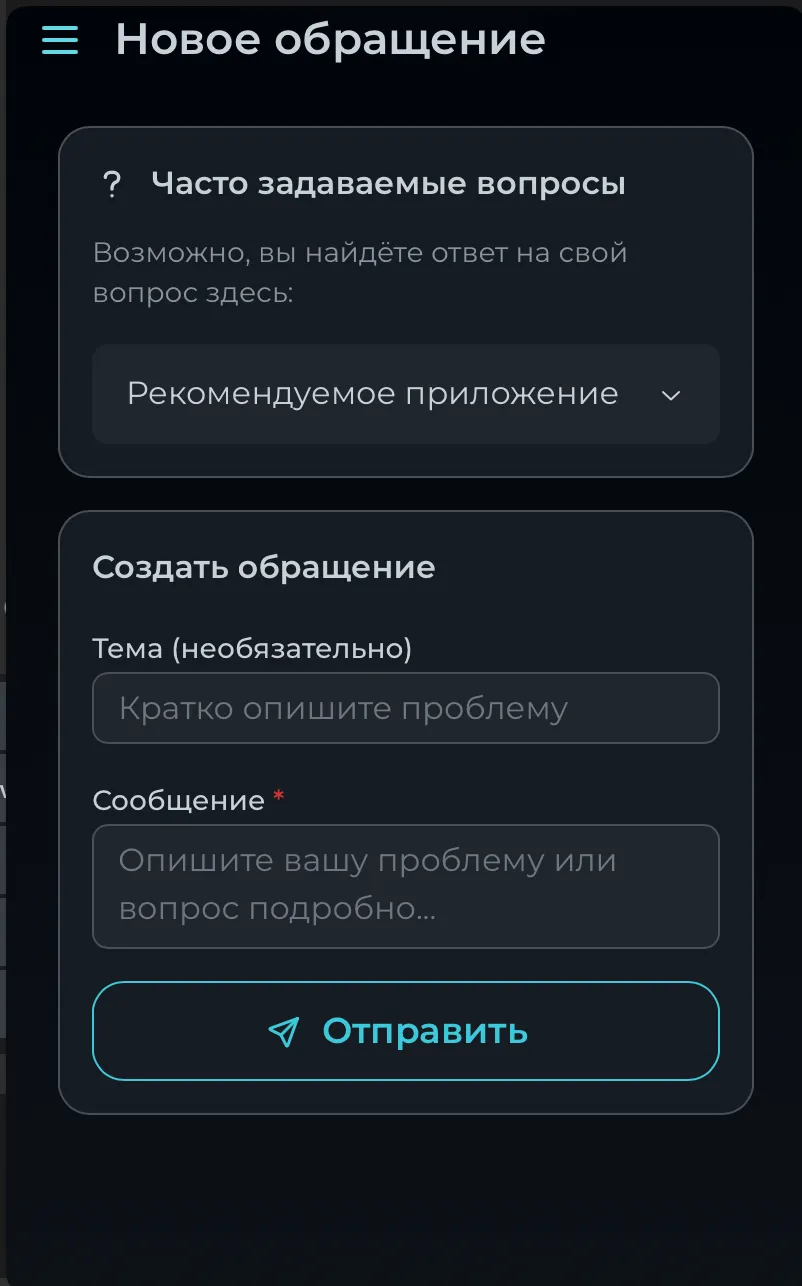
Section titled “New Ticket”FAQ section with expandable answers, ticket creation form with subject and message.
Ticket Chat
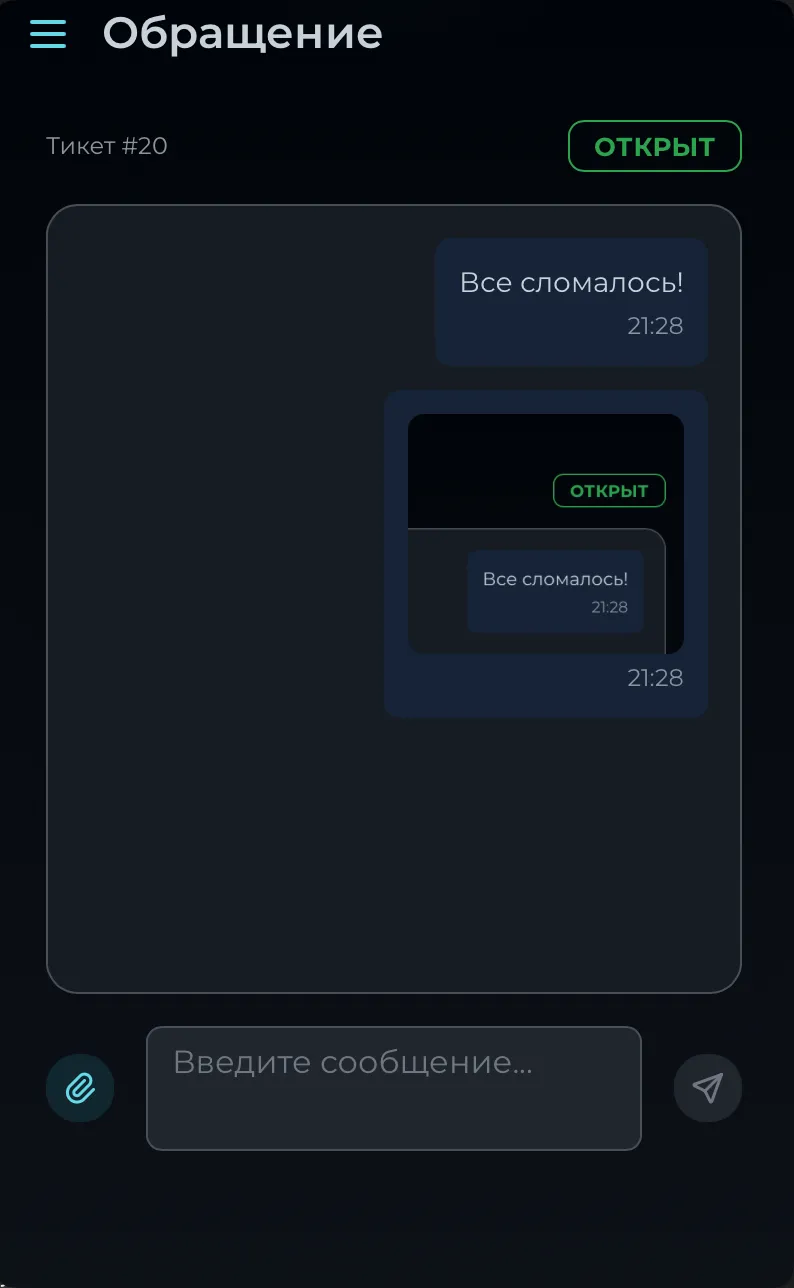
Section titled “Ticket Chat”Real-time chat with ticket status, message history, file attachments support.
FAQ Management
Section titled “FAQ Management”- View FAQ items
- Create FAQ item
- Update FAQ item
- Delete FAQ item
- Reorder FAQ items
Screenshots
Section titled “Screenshots”FAQ Editor
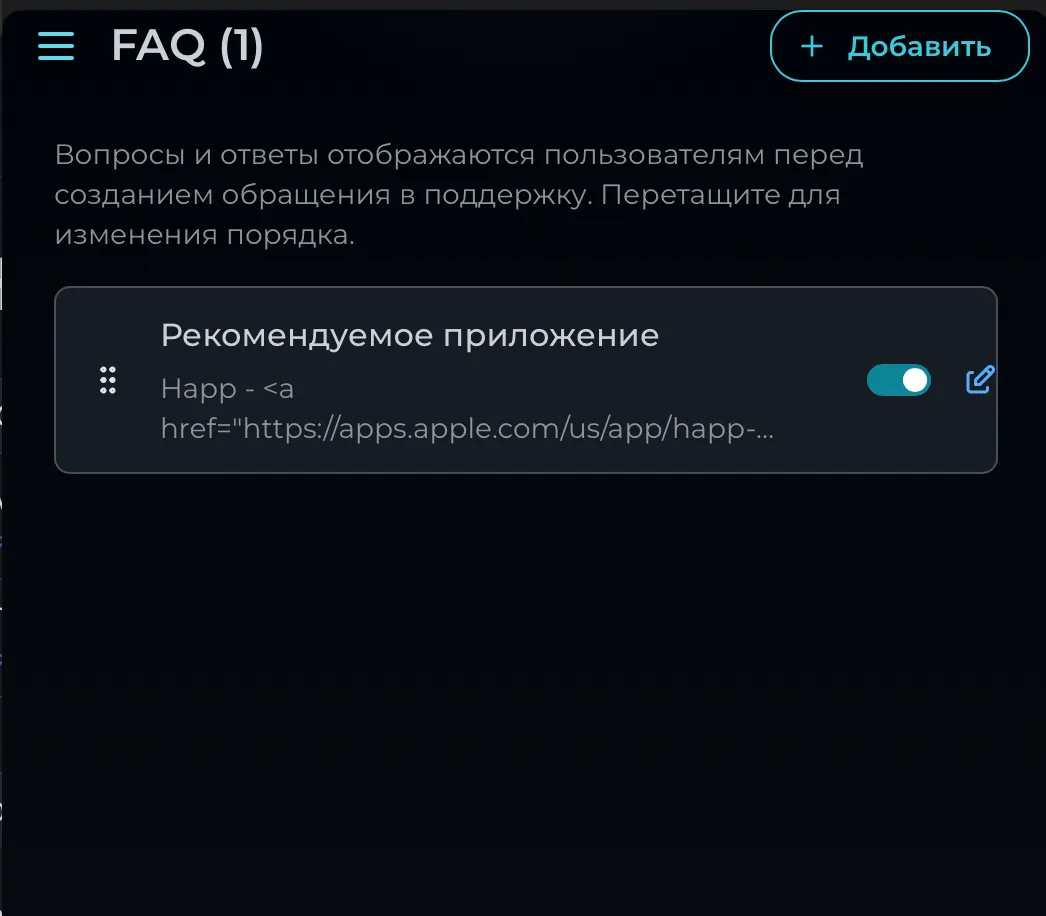
Section titled “FAQ Editor”Manage FAQ items shown before support ticket creation. Drag to reorder, toggle visibility, edit content with HTML support.
Partner Program
Section titled “Partner Program”Admin Features
Section titled “Admin Features”- View all partners and stats
- View partner details and clients
- View partner commissions
- View partner applications
- View withdrawal requests
- Create partner manually
- Activate/Deactivate partners
- Update commission rates
- Approve/Reject applications
- Process withdrawals (with proof upload)
Admin Screenshots
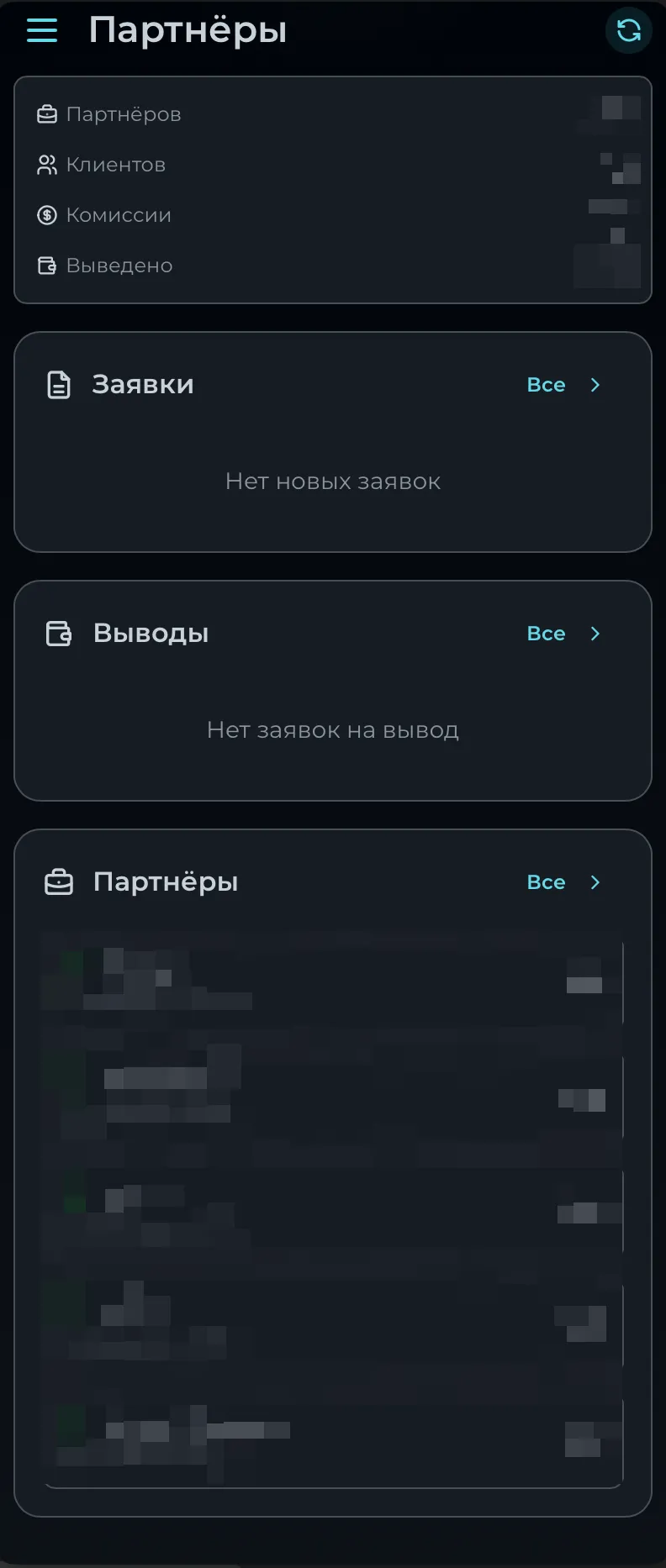
Section titled “Admin Screenshots”Partners Dashboard
Section titled “Partners Dashboard”Overview with statistics (partners, clients, commissions, withdrawn), applications, withdrawals, and partner list.
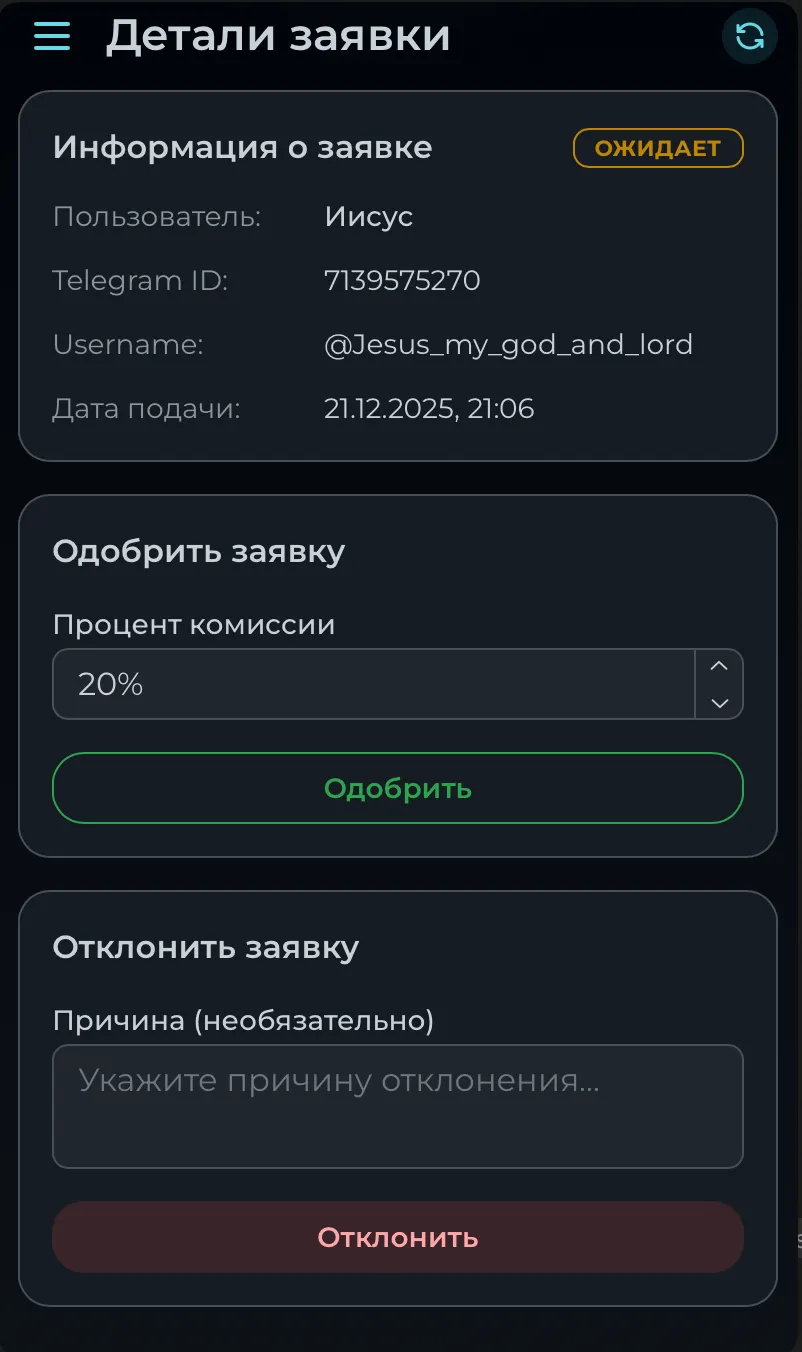
Application Details
Section titled “Application Details”Review application with user info, set commission rate, approve or reject with reason.
User Features (Mini App)
Section titled “User Features (Mini App)”- View partner status
- Apply for partnership
- Partner dashboard
- View clients and commissions
- View withdrawals
- Request withdrawal
Screenshots
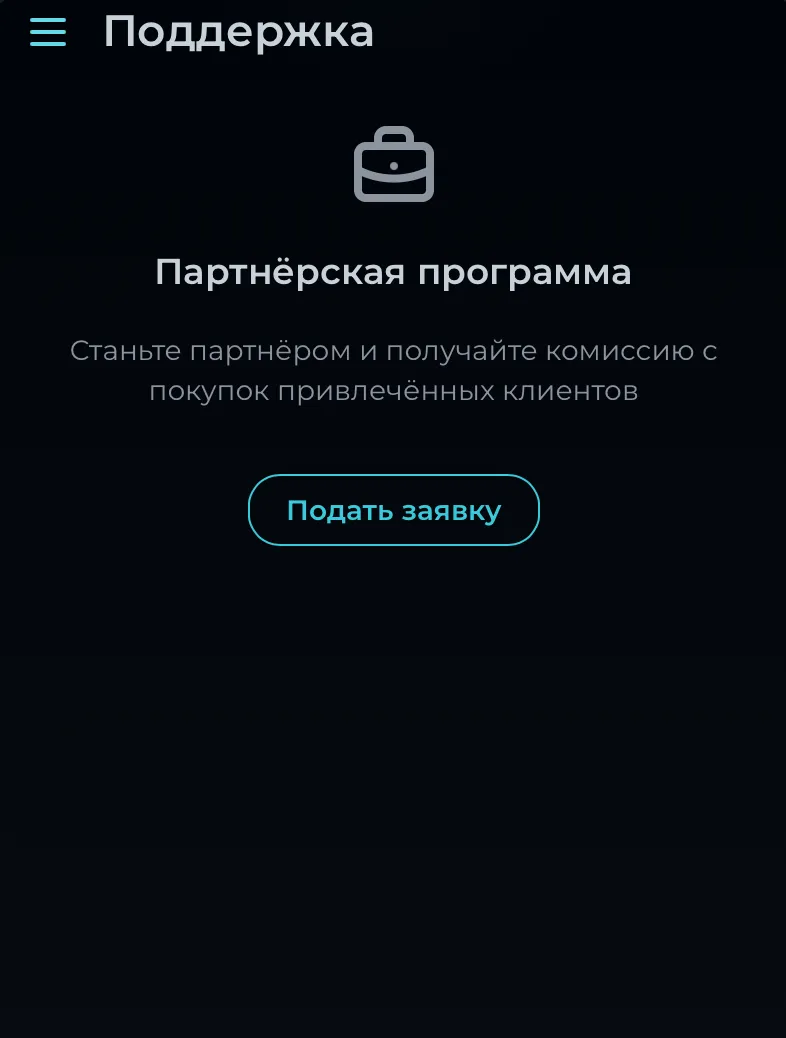
Section titled “Screenshots”Apply for Partnership
Section titled “Apply for Partnership”Page for submitting a partnership application.
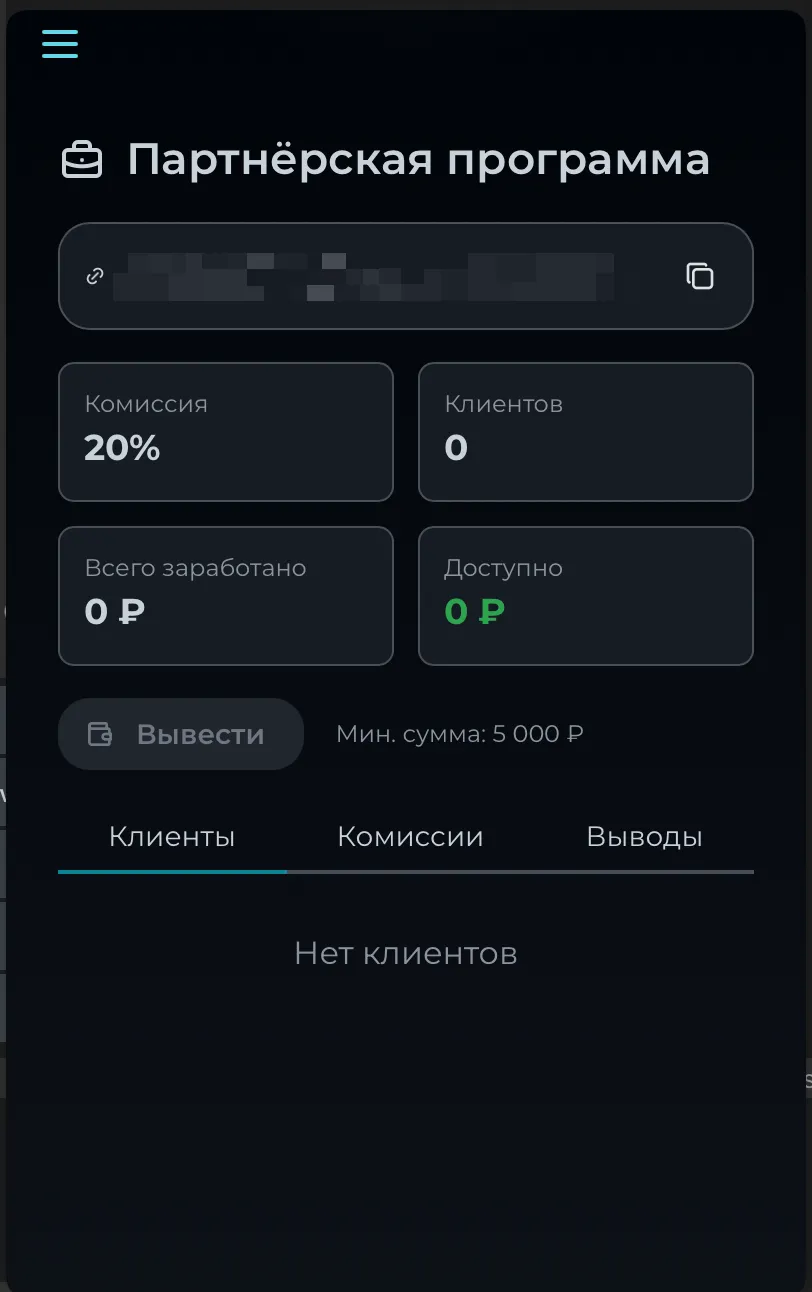
Partner Dashboard
Section titled “Partner Dashboard”Partner statistics: commission rate, clients, earnings, available balance, withdrawal button, and tabs for clients/commissions/withdrawals.
Plans Management
Section titled “Plans Management”- View all plans
- View plan purchase count
- View plan descriptions (localized)
- Create plan
- Update plan
- Delete plan
- Set default plan
- Reorder plans
- Manage plan descriptions per language
Settings
Section titled “Settings”- View all settings
- Update settings
- View squads configuration
- Branding settings
Roles & Permissions
Section titled “Roles & Permissions”Full RBAC (Role-Based Access Control) system:
- Create/Update/Delete roles
- Assign permissions to roles
- View user permissions
Available Permissions
Section titled “Available Permissions”| Permission | Description |
|---|---|
view_dashboard | View dashboard statistics |
view_clients | View user information |
edit_clients | Modify user data |
view_broadcasts | View broadcasts |
create_broadcast | Create/delete broadcasts |
view_promos | View promo codes |
manage_promos | Create/edit/delete promos |
view_support | View support tickets |
reply_support | Reply and manage tickets |
view_partners | View partner information |
manage_partners | Manage partners |
view_settings | View settings |
manage_settings | Modify settings |
view_plans | View plans |
manage_plans | Create/edit/delete plans |
Payments
Section titled “Payments”- Embedded payment creation (YooKassa widget)
- Get available payment methods
- Get payment configuration
- Get payment systems
- Check purchase status
- Tribute webhook support
Additional Payment Systems (Private Version)
Section titled “Additional Payment Systems (Private Version)”| System | Description |
|---|---|
| WATA | https://wata.pro |
| SeverPay | https://severpay.io |